
5
G
Guarantee
Operation of this machine is guaranteed for two years from date of
purchase, subject to normal use. Within the guarantee period, ACCO
Brands Europe will at its own discretion either repair or replace the
defective machine free of charge. Defects due to misuse or use for
inappropriate purposes are not covered under the guarantee. Proof
of date of purchase will be required. Repairs or alterations made by
persons not authorised by ACCO Brands Europe will invalidate the
guarantee. It is our aim to ensure that our products perform to the
specifications stated. This guarantee does not affect the legal rights
which consumers have under applicable national legislation governing
the sale of goods.
Register this product online at www.accoeurope.com
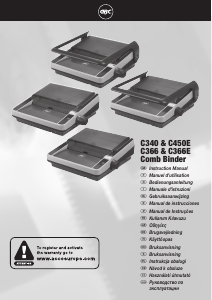
Comb binding instructions
Each step relates to the illustrations throw-out at the front of this manual.
C366 & C366E: Please open the quick start guide, located at the front of the machine for reference.
1. Set the comb
1
Lift the lid and punch handle to the upright position.
2
Place entire document so it rests on the lid.
3
Check the comb size (mm) needed using the paper thickness guide.
C366 & C366E:
4
Measure your comb using the comb size guide.
5
Turn the comb selector (located at the side of the machine) until the
number matches your comb size (6 - 25+ mm).
6
The machine will now automatically prevent your comb from over
opening and will adjust the margin depth.
Troubleshooting
• This machine has a recommended duty cycle of 5 operations per
minute, up to a maximum of 30 minutes on / 30 minutes off.
• This machine is tted with a thermal overload safety feature. In
extreme circumstances, the motor may overheat which will activate
the safety feature. This feature will prevent the machine punching until
it has cooled sufficiently.
• The thermal overload switch will automatically reset after
approximately 15 minutes. The machine will then operate as if it had
been overloaded (see step 4 below).
2. Sort paper
1
To manage large documents use the document separator.
2
Push the separator into the document.
3
Lift the separator upwards to reveal the first stack of paper ready for
easy punching.
3. Set paper size
1
On manual machines, always ensure the punch handle is in the
upright position before centering the paper.
2
Load the first paper stack into the punch slot.
3
Centre the paper using the dial located at the front of the machine.
C366 & C366E - Adjusting your machine for A5:
4
Adjust the machine by sliding the switch located at the front of the
machine from A4 to A5.
4. Punch paper
For manual punching: Lower the raised handle until the paper is
punched, and support the machine when lifting the handle to the upright
position.
For electric punching (C450E & C366E): Press the ‘punch button’
located on the right panel of the machine.
Note: If the machine is overloaded and fails to complete the punch
cycle, the red LED will be lit. Press the ‘punch button’ to cancel the red
LED. If this does not work contact the service helpline.
5. Comb binding
1
Place the plastic comb open side up on the metal teeth.
2
To open the comb, turn the comb opening knob (located at the side
of the machine).
3
Punch and then load each paper stack onto the opened comb until
the entire document is loaded.
4
To close the comb, rewind the comb opening knob and lift the bound
document from the metal teeth.
Binding tips:
• Load the rear cover onto the open comb rst, followed by the internal
sheets and front cover.
• To edit your document, additional sheets may be included or removed
by placing your document (comb open side up) onto the metal teeth
and following step 5 instructions again.
• For further hints and tips please visit our website:
www.gbceurope.com
6. Maintenance
Please ensure the clippings tray is emptied on a regular basis. This may
prevent your machine from overloading.
C340, C366:
When the clippings tray is full, you will see the clear window full of
clippings. Empty the contents of the tray to continue binding.
C450E, C366E:
When the clippings tray is full, a yellow LED will be lit. Empty the
contents of the tray to continue binding.
Security
A security slot is fitted for use with leading makes of security leash. E.g.
Kensington Microsaver.


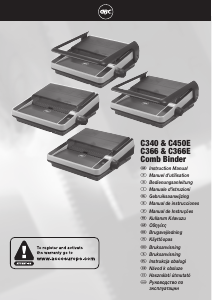
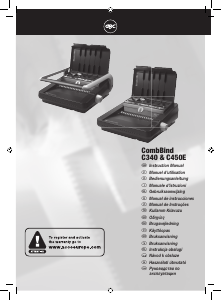
Bu ürün hakkındaki sohbete katıl
Burada GBC CombBind C366E Cilt makinesi hakkında ne düşündüğünüzü paylaşabilirsiniz. Bir sorunuz varsa öncelikle kılavuzu dikkatlice okuyun. Kılavuz talebinde bulunmak için iletişim formumuzu kullanabilirsiniz.