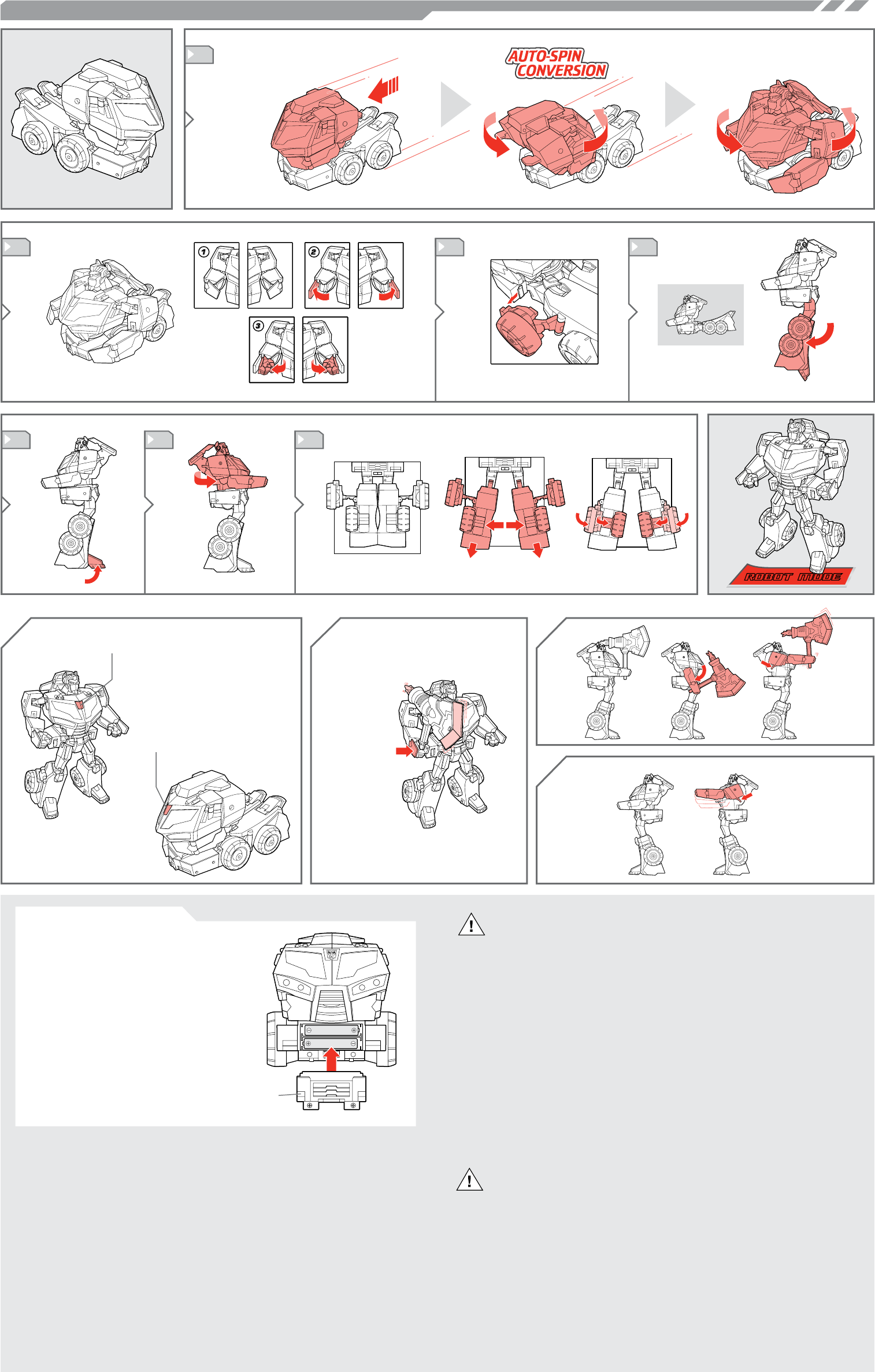
TO REPLACE BATTERIES:
Using a Phillips/cross head screwdriver, loosen
screw in battery compartment door. Remove door.
Remove and discard old batteries. Insert 2 x 1.5v
“AAA” or R03 size batteries. Alkaline batteries rec-
ommended. Replace battery compartment door and
tighten screw. See diagram for polarity.
IMPORTANT: BATTERY INFORMATION
Please retain this information for future reference.
Batteries should be replaced by an adult.
CAUTION:
1. Always follow the instructions carefully. Use only batteries specified and be
sure to insert them correctly by matching the + and – polarity markings.
2. Do not mix old batteries and new batteries, or standard (carbon-zinc) with
alkaline batteries.
3. Remove exhausted or dead batteries from the product.
4. Remove batteries if product is not to be played with for a long time.
5. Do not short-circuit the supply terminals.
6. Should this product cause, or be affected by, local electrical interference,
move it away from other electrical equipment. Reset (switching off and back
on again or removing and reinserting batteries) if necessary.
7. RECHARGEABLE BATTERIES: Do not mix these with any other types of bat
-
tery. Always remove from the product before recharging. Recharge batteries
under adult supervision. DO NOT RECHARGE OTHER TYPES OF BATTERIES.
8. As with all small items, these batteries should be kept away from children. If
swallowed, seek medical attention immediately.
FCC STATEMENT
This device complies with part 15 of the FCC Rules. Operation is subject to the following
two conditions: (1) This device may not cause harmful interference, and (2) this device
must accept any interference received, including interference that may cause undesired
operation. This equipment has been tested and found to comply with the limits for a Class
B digital device, pursuant to part 15 of the FCC Rules. These limits are designed to pro-
vide reasonable protection against harmful interference in a residential installation. This
equipment generates, uses and can radiate radio frequency energy, and, if not installed
and used in accordance with the instructions, may cause harmful interference to radio
communications. However, there is no guarantee that interference will not occur in a
particular installation. If this equipment does cause harmful interference to radio or televi-
sion reception, which can be determined by turning the equipment off and on, the user is
encouraged to try to correct the interference by one or more of the following measures:
• Reorient or relocate the receiving antenna.
• Increase the separation between the equipment and receiver.
• Consult the dealer or an experienced radio/TV technician for help.
CAUTION: Changes or modications not expressly approved by the party responsible for
compliance could void the user’s authority to operate the equipment.
COMPARTMENT
DOOR
CAUTION:
1. As with all small batteries, the batteries used with this toy
should be kept away from small children who still put things in
their mouths. If they are swallowed, promptly see a doctor and
have the doctor phone (202) 625-3333 collect. In other coun-
tries, have the doctor call your local poison control center.
2. Make sure the batteries are inserted correctly and always fol-
low the toy and battery manufacturer’s instructions.
3. Do not mix old and new batteries, alkaline, standard (carbon-
zinc) or rechargeable (nickel-cadmium) batteries.
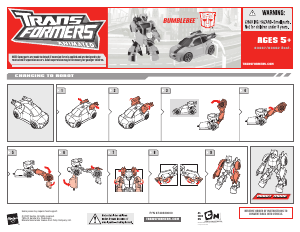
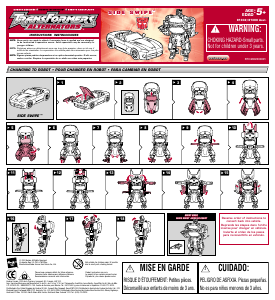
1
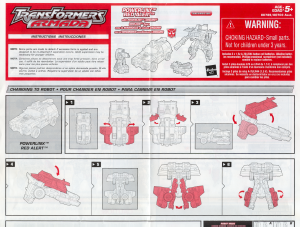
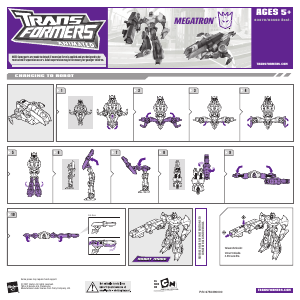
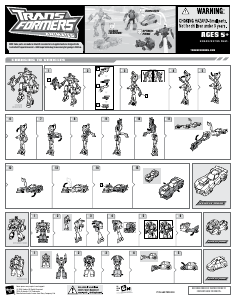
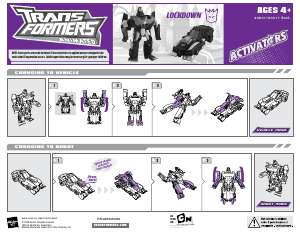
CHANGING TO ROBOT
5
2
7
Place on wheels
and roll forward
about three feet.
3 4
6
Note: Switch must be
moved to unlock position.
Place axe in hand.
Push to pop out
“plasma blade!”
Press AUTOBOT symbol for
speech and light up eyes.
Press AUTOBOT symbol
for revving engine, horn
and lights.
Push to activate
punching action!
Push to activate axe
combat action!


Bu ürün hakkındaki sohbete katıl
Burada Hasbro 83613 Transformers Animated Rollout Command Optimus Prime hakkında ne düşündüğünüzü paylaşabilirsiniz. Bir sorunuz varsa öncelikle kılavuzu dikkatlice okuyun. Kılavuz talebinde bulunmak için iletişim formumuzu kullanabilirsiniz.