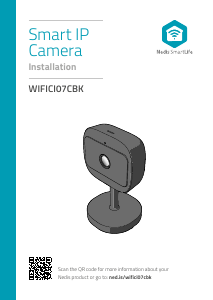
Kullanım kılavuzu Nedis WIFICI21CGY IP Kamerası

Nedis WIFICI21CGY IP Kamerası’ınız için bir kılavuza mı ihtiyacınız var? Aşağıda PDF kılavuzunu Türkçe olarak ücretsiz olarak görüntüleyebilir ve indirebilirsiniz. Bu ürün şu anda 0 sık sorulan soru, 0 yorum ve 0 oy var. İstediğiniz kılavuz bu değilse lütfen bizimle iletişime geçin.

Ürününüz kusurlu ve kullanma kılavuzu size bir çözüm sunamıyor mu? O zaman ücretsiz tamir hizmetleri için Repair Café’yi ziyaret edin.

Kullanım kılavuzu

Loading…

4
English
WIFICI21CGY
Indoor IP camera
Description
1. Status indicator
2. Reset button
3. Speaker
4. Memory card slot (microSD)
5. Power input (Micro USB)
Use
1. Download and install the app “Nedis SmartLife“ from
Apple App Store or Google Play Store on your mobile
device.
2. Launch the app “Nedis SmartLife“.
3. Create a new account or log in to your existing
account.
4. Tap “+” to add the device.
5. Select “Security Camera” from the list of products.
6. Insert the memory card into the memory card slot.
7. Use the USB cable to connect the power adapter to
the device. Insert the mains plug of the power
adapter into the wall socket.
8. If the status indicator does not ash: Press and hold
the reset button for 6 seconds.
If the status indicator ashes: Conrm in the app.
9. Confrm the Wi-Fi network and password.
10. Enter the device name.
Note: The device name will also be used for push
notications.
11. Place the camera on the desired location or use the
included mount (and adhesive pad) to attach it.
Safety
To reduce risk of electric shock, this product should
only be opened by an authorized technician when
service is required.
Disconnect the product from the mains and other
equipment if a problem should occur.
Read the manual carefully before use. Keep the
manual for future reference.
Only use the device for its intended purposes. Do not
use the device for other purposes than described in
the manual.
Do not use the device if any part is damaged or
defective. If the device is damaged or defective,
replace the device immediately.
The device is suitable for indoor use only. Do not use
the device outdoors.
Do not expose the product to water or moisture.
Cleaning and maintenance
Warning!
Do not use cleaning solvents or abrasives.
Do not clean the inside of the device.
Do not attempt to repair the device. If the device
does not operate correctly, replace it with a new
device.
Clean the outside of the device using a soft, damp
cloth.
Support
If you need further help or have comments or
suggestions please visit www.nedis.com/support
Türkçe kullanım kılavuzunu indir (PDF, 1.06 MB)
(Çevreyi düşünün ve sadece çok gerekli olması halinde bu kullanma kılavuzunu yazdırın)

Loading…

Derecelendirme

Bir ürün derecelendirmesi yaparak Nedis WIFICI21CGY IP Kamerası hakkındaki düşüncelerinizi bize bildirin. Bu ürüne ilişkin deneyimlerinizi paylaşmak veya bir soru sormak ister misiniz? Lütfen sayfanın alt kısmında bir yorum bırakın.
Nedis WIFICI21CGY IP Kamerası’den memnun musunuz?
Evet Hayır
Bu ürünü derecelendiren ilk kişi siz olun
0 oylar

Bu ürün hakkındaki sohbete katıl

Burada Nedis WIFICI21CGY IP Kamerası hakkında ne düşündüğünüzü paylaşabilirsiniz. Bir sorunuz varsa öncelikle kılavuzu dikkatlice okuyun. Kılavuz talebinde bulunmak için iletişim formumuzu kullanabilirsiniz.

Bu kılavuz hakkında daha fazla bilgi

Nedis WIFICI21CGY IP Kamerası cihazınız için basılı bir kılavuza sahip olmanın güzel bir şey olduğunun farkındayız. Kılavuzu her zaman web sitemizden indirebilir ve kendiniz yazdırabilirsiniz. Orijinal bir kılavuza sahip olmak istiyorsanız Nedis ile iletişime geçmenizi öneririz. Orijinal bir kılavuz sağlayabilirler. Nedis WIFICI21CGY IP Kamerası cihazınızın kılavuzunu farklı bir dilde mi arıyorsunuz? Ana sayfamızdan tercih ettiğiniz dili seçin ve mevcut olup olmadığını görmek için model numarasını arayın.

Özellikler

Marka Nedis
Modeli WIFICI21CGY
Kategori IP Kameraları
Dosya tipi PDF
Dosya boyutu 1.06 MB

Nedis IP Kameraları için tüm kılavuzlar
IP Kameraları ile ilgili daha fazla kılavuz
Kullanım kılavuzu Nedis WIFICI21CGY IP Kamerası

İlgili ürünler

İlgili kategoriler

×
Download