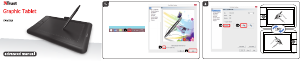
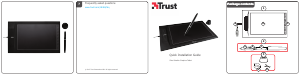
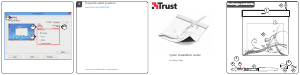
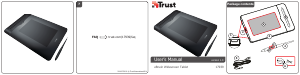
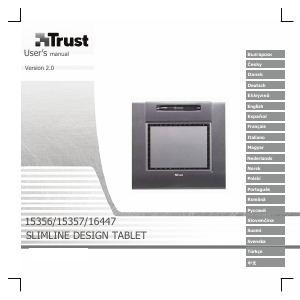
Kullanım kılavuzu Trust Slimline Kalem tablet

Trust Slimline Kalem tablet’ınız için bir kılavuza mı ihtiyacınız var? Aşağıda PDF kılavuzunu Türkçe olarak ücretsiz olarak görüntüleyebilir ve indirebilirsiniz. Bu ürün şu anda 0 sık sorulan soru, 0 yorum ve ortalama 100/100 ürün puanıyla 1 oyu var. İstediğiniz kılavuz bu değilse lütfen bizimle iletişime geçin.

Ürününüz kusurlu ve kullanma kılavuzu size bir çözüm sunamıyor mu? O zaman ücretsiz tamir hizmetleri için Repair Café’yi ziyaret edin.

Kullanım kılavuzu

Loading…
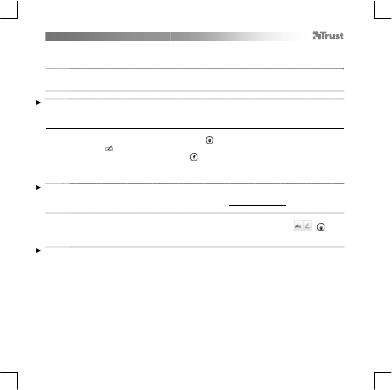
Slimline Widescreen Tablet – User’s Manual
4
The pen can detect 2048 levels of pressure, and use the variation in levels to automatically change the size, the color, or
various settings of the tool you are currently using.
This allows for flexibility and gives a very intuitive feeling to your graphic work.
10
Move the pen in the tablet’s working area: the cursor will follow the movements. Hovering the pen tip
at about 5 mm from the surface will allow you to move the cursor on your screen. When you touch the
tablet’s surface, your brush will start drawing on the new document.
11
T
he color panel allows you to select different colors.
By default in most drawing programs, the color your brush is applying is black. Depending on the pressure you exert with
the pen on the tablet’s surface, your brush will paint in nuances going from white (no pressure) to black (full pressure).
Write (Write)
12
Windows 8: click the keyboard icon in the system tray.
Open the Input Panel (tap the docked input panel ( ), on the side of the screen, or tap the text input
floating bar ( ).
Y
our handwriting will be converted into text ( ). You can correct, erase or modify the proposed
conversion.
T
hen click or tap Insert to have the text you handwrote entered into the active document / text input
field.
Handwriting recognition is a feature of Windows Vista and Windows 7/8 that converts what you write into text you can
then format like any other text. The Handwriting Input Panel appears automatically when you start using the tablet. If it
does not show, or only appears as a virtual keyboard, please consult trust.com/18469/FAQ.
In Windows XP or Mac OS, a third-party software is required, to convert your handwriting into text.
13
After installing and connecting your tablet, the handwriting feature of Live Messenger is activated.
It can be accessed, while in Live conversation, by clicking the corresponding button: ( )
Y
ou can then draw and send messages in your own handwriting, and use the six formatting buttons
that appear in the conversation window to personalize your messages.
To send handwritten messages you must have Windows 7/8, Windows Vista, or Windows XP with Service Pack 3 or later
installed. The latest version of Live Messenger is also required.
Türkçe kullanım kılavuzunu indir (PDF, 2.88 MB)
(Çevreyi düşünün ve sadece çok gerekli olması halinde bu kullanma kılavuzunu yazdırın)

Loading…

Derecelendirme

Bir ürün derecelendirmesi yaparak Trust Slimline Kalem tablet hakkındaki düşüncelerinizi bize bildirin. Bu ürüne ilişkin deneyimlerinizi paylaşmak veya bir soru sormak ister misiniz? Lütfen sayfanın alt kısmında bir yorum bırakın.
Trust Slimline Kalem tablet’den memnun musunuz?
Evet Hayır
100%
0%
1 oy

Bu ürün hakkındaki sohbete katıl

Burada Trust Slimline Kalem tablet hakkında ne düşündüğünüzü paylaşabilirsiniz. Bir sorunuz varsa öncelikle kılavuzu dikkatlice okuyun. Kılavuz talebinde bulunmak için iletişim formumuzu kullanabilirsiniz.

Bu kılavuz hakkında daha fazla bilgi

Trust Slimline Kalem tablet cihazınız için basılı bir kılavuza sahip olmanın güzel bir şey olduğunun farkındayız. Kılavuzu her zaman web sitemizden indirebilir ve kendiniz yazdırabilirsiniz. Orijinal bir kılavuza sahip olmak istiyorsanız Trust ile iletişime geçmenizi öneririz. Orijinal bir kılavuz sağlayabilirler. Trust Slimline Kalem tablet cihazınızın kılavuzunu farklı bir dilde mi arıyorsunuz? Ana sayfamızdan tercih ettiğiniz dili seçin ve mevcut olup olmadığını görmek için model numarasını arayın.

Özellikler

Marka Trust
Modeli Slimline
Kategori Kalem tabletler
Dosya tipi PDF
Dosya boyutu 2.88 MB

Trust Kalem tabletler için tüm kılavuzlar
Kalem tabletler ile ilgili daha fazla kılavuz
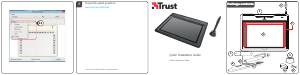
Kullanım kılavuzu Trust Slimline Kalem tablet

İlgili ürünler

İlgili kategoriler

×
Download