Kullanım kılavuzu Microsoft Wired 600 Klavye

Microsoft Wired 600 Klavye’ınız için bir kılavuza mı ihtiyacınız var? Aşağıda PDF kılavuzunu Türkçe olarak ücretsiz olarak görüntüleyebilir ve indirebilirsiniz. Bu ürün şu anda 2 sık sorulan soru, 2 yorum ve ortalama 53/100 ürün puanıyla 17 oylara sahip. İstediğiniz kılavuz bu değilse lütfen bizimle iletişime geçin.

Ürününüz kusurlu ve kullanma kılavuzu size bir çözüm sunamıyor mu? O zaman ücretsiz tamir hizmetleri için Repair Café’yi ziyaret edin.

Kullanım kılavuzu

Loading…

1
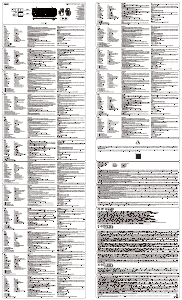
Product Guide
This symbol identi es safety and health messages in the Product Guide and other product manuals.
Read this guide for important safety and health information that apply to the Microsoft
®
device that you have purchased.
Warning:
Failure to properly set up, use, and care for this product can increase the risk of serious injury or death, or damage to the device or devices.
Read this guide and keep all printed guides for future reference. For replacement guides, go to www.microsoft.com/hardware or refer to the
Microsoft Help and Support section for contact information.
Important Safety Information
Battery-Powered Devices
These precautions apply to all products that use rechargeable or disposable batteries. Improper use of batteries may result in battery uid
leakage, overheating, or explosion. Released battery uid is corrosive and may be toxic. It can cause skin and eye burns, and is harmful
if swallowed.
To reduce the risk of injury:
Keep batteries out of reach of children.
Do not heat, open, puncture, mutilate, or dispose of batteries in re.
Do not mix new and old batteries or batteries of different types (for example, carbon-zinc and alkaline batteries).
Do not allow metal objects to touch the battery terminals on the device; they can become hot and cause burns.
Remove the batteries if they are worn out or before storing your device for an extended period of time. Always remove old, weak,
or worn-out batteries promptly and recycle or dispose of them in accordance with Local and National Disposal Regulations.
If a battery leaks, remove all batteries, taking care to keep the leaked uid from touching your skin or clothes. If uid from the batter
comes into contact with skin or clothes, ush skin with water immediately. Before inserting new batteries, thoroughly clean the batter
compartment with a damp paper towel, or follow the battery manufacturer’s recommendations for cleanup.
Disposable (non-rechargeable) batteries only:
Caution Risk of explosion if battery is replaced by an incorrect type. Use and replace only with correct size and type (alkaline, zinc-carbon,
or zinc-chloride) of batteries.
Headset Devices
Extended exposure to high volumes when using a headset may result in temporary or permanent hearing loss. To prevent damage to your
headset, avoid sitting or stepping on the headset, its cable, or the cable connector.
Warning:
The earphones contained within this product may attract dangerous objects like staples and paper clips. Take care to avoid harm that may occur
from the retention of dangerous objects on the earphones.
Wireless Devices
Before boarding any aircraft or packing a wireless device in luggage that will be checked, remove the batteries from the wireless device or turn
the wireless device off (if it has an on/off switch). Wireless devices can transmit radio frequency (RF) energy, much like a cellular telephone,
whenever batteries are installed and the wireless device is turned on (if it has an on/off switch).
Game Controllers, Keyboards, and Mouse Devices
Health Warning
Use of game controllers, keyboards, mice, or other electronic input devices may be linked to serious injuries or disorders.
When using a computer, as with many activities, you may experience occasional discomfort in your hands, arms, shoulders, neck, or other parts of
your body. However, if you experience symptoms such as persistent or recurring discomfort, pain, throbbing, aching, tingling, numbness, burning
sensation, or stiffness, DO NOT IGNORE THESE WARNING SIGNS. PROMPTLY SEE A QUALIFIED HEALTH PROFESSIONAL, even if symptoms
occur when you are not working at your computer. Symptoms like these can be associated with painful and sometimes permanently disabling
injuries or disorders of the nerves, muscles, tendons, or other parts of the body. These musculoskeletal disorders (MSDs) include carpal tunnel
syndrome, tendonitis, tenosynovitis, and other conditions.
While researchers are not yet able to answer many questions about MSDs, there is general agreement that many factors may be linked to their
occurrence, including: overall health, stress and how one copes with it, medical and physical conditions, and how a person positions and uses his
or her body during work and other activities (including use of a keyboard or mouse). The amount of time a person performs an activity may also
be a factor.
Some guidelines that may help you work more comfortably with your computer and possibly reduce your risk of experiencing an MSD can be
found in the “Healthy Computing Guide” installed with this device’s software or in the “Healthy Gaming Guide” available at www.xbox.com.
If this device did not come with software, you can access the “Healthy Computing Guide” at www.microsoft.com/hardware or (in the United
States only) by calling (800) 360-7561 to request a CD at no charge. If you have questions about how your own lifestyle, activities, or medical,
or physical condition may be related to MSDs, see a quali ed health professional.
English
Türkçe kullanım kılavuzunu indir (PDF, 2.63 MB)
(Çevreyi düşünün ve sadece çok gerekli olması halinde bu kullanma kılavuzunu yazdırın)

Loading…

Derecelendirme

Bir ürün derecelendirmesi yaparak Microsoft Wired 600 Klavye hakkındaki düşüncelerinizi bize bildirin. Bu ürüne ilişkin deneyimlerinizi paylaşmak veya bir soru sormak ister misiniz? Lütfen sayfanın alt kısmında bir yorum bırakın.
Microsoft Wired 600 Klavye’den memnun musunuz?
Evet Hayır
53%
47%
17 oylar

Bu ürün hakkındaki sohbete katıl

Burada Microsoft Wired 600 Klavye hakkında ne düşündüğünüzü paylaşabilirsiniz. Bir sorunuz varsa öncelikle kılavuzu dikkatlice okuyun. Kılavuz talebinde bulunmak için iletişim formumuzu kullanabilirsiniz.

Luigi Balestra 29-08-2020
"Kılavuzu" indirdim. Ama bu bir manuel değil. Yalnızca güvenlikle ilgili hükümleri içerir. Klavyenin tasarımı, özellikleri, özellikleri ve aynısının en iyi kullanımı hakkında açıklama yok.

cevapla | Bu faydalıydı (1) (Google tarafından çevrildi)
Leo van der Knaap 11-06-2020
Ne bir hayal kırıklığı. hiçbir şey tak ve çalıştır. Harf tuşları yapmaları gerekeni yapar. Ancak tüm özel karakterler, ör. sayı tuşlarının altındakiler veya sağ shift'in solundaki 3 tuş, tuştakine göre geri gelmiyor. Uğraşılması imkansız bir iş. Bu Microsoft kablolu klavye 600 ile normal şekilde çalışabileceğim bir önerisi olan var mı? soru işareti 0 tuşunun altındadır. at işareti bulunamadığı için e-posta adresi bile giremiyorum.

cevapla | Bu faydalıydı (0) (Google tarafından çevrildi)

Bu kılavuz hakkında daha fazla bilgi

Microsoft Wired 600 Klavye cihazınız için basılı bir kılavuza sahip olmanın güzel bir şey olduğunun farkındayız. Kılavuzu her zaman web sitemizden indirebilir ve kendiniz yazdırabilirsiniz. Orijinal bir kılavuza sahip olmak istiyorsanız Microsoft ile iletişime geçmenizi öneririz. Orijinal bir kılavuz sağlayabilirler. Microsoft Wired 600 Klavye cihazınızın kılavuzunu farklı bir dilde mi arıyorsunuz? Ana sayfamızdan tercih ettiğiniz dili seçin ve mevcut olup olmadığını görmek için model numarasını arayın.

Özellikler

Marka Microsoft
Modeli Wired 600
Kategori Klavyeler
Dosya tipi PDF
Dosya boyutu 2.63 MB

Microsoft Klavyeler için tüm kılavuzlar
Klavyeler ile ilgili daha fazla kılavuz

Microsoft Wired 600 Klavye hakkında Sıkça Sorulan Sorular

Destek ekibimiz faydalı ürün bilgileri arar ve sıkça sorulan soruları cevaplar. Sıkça sorulan sorularda hatalı bir cevaba rastlamanız halinde lütfen bunu iletişim formunu kullanarak bize bildirin.

Klavyedeki harfler alıştığım yerlerde değil, niye öyle? Doğrulanmış

Çoğu klavye, klavyedeki ilk altı harfi temsil eden bir QWERTY düzeni kullanır. Bununla birlikte, belirli bir dilin özel gereksinimlerini karşılayan farklı klavye düzenleri vardır. Klavye tuşlarının değiştirilmiş olması da mümkündür. Özellikle eski klavyelerde bunu yapmak kolaydır.

Bu faydalıydı (1365) Devamını oku

Klavyemi temizlemenin en iyi yolu nedir Doğrulanmış

Asla tuşların kenarları arasına herhangi bir nesne sokmayın çünkü bu esas olarak kiri içeri itecek ve klavyeye zarar verecektir. Klavyeyi baş aşağı tutarken klavyeyi basınçlı havayla temizlemek en iyisidir. Tuşların üst kısmı hafif nemli bir bezle temizlenebilir.

Bu faydalıydı (204) Devamını oku

Kullanım kılavuzu Microsoft Wired 600 Klavye

İlgili ürünler

İlgili kategoriler

×
Download