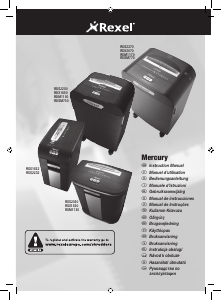
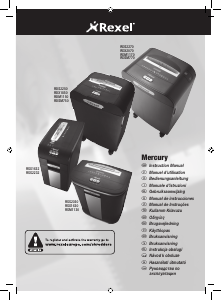
Kullanım kılavuzu Rexel Mercury RSX1630 Kağıt öğütücü

Rexel Mercury RSX1630 Kağıt öğütücü’ınız için bir kılavuza mı ihtiyacınız var? Aşağıda PDF kılavuzunu Türkçe olarak ücretsiz olarak görüntüleyebilir ve indirebilirsiniz. Bu ürün şu anda 2 sık sorulan soru, 1 yorum ve 0 oyu içeriyor. İstediğiniz kılavuz bu değilse lütfen bizimle iletişime geçin.

Ürününüz kusurlu ve kullanma kılavuzu size bir çözüm sunamıyor mu? O zaman ücretsiz tamir hizmetleri için Repair Café’yi ziyaret edin.

Kullanım kılavuzu

Loading…
6
Reverse Function
1 Should you wish to reverse the shredding direction whilst
shredding a document, a reverse button (f) has been fitted
for your convenience.
2 By pressing the reverse button the shredding cutters will
change direction allowing the retrieval of the document
being shredded. The anti-jam indicator will turn to red.
3 The reverse function will only run whilst the button is being
pressed. When the reverse button has been released the
shredder will revert to stand by mode.
4 To turn back to auto mode, press the auto button (e).
CD and Credit Card Shredding
Models RSM1130, RDM1150, RDM1170, RDSM750 and
RDSM770 can not shred CD’s or credit cards, therefore this
section is not applicable to these three models. All other
Mercury models can shred CD’s and credit cards as follows:
1 A separate CD tray is provided to collect the shredded CD
shards. Ensure that this is correctly mounted onto the bin
rail or internal bin (small office models) before shredding
CDs or credit cards. CD and credit card shards should be
disposed of separately to paper.
2 Pull up the CD guide (h) located in the centre of the feed
area and flip it into position over the shredder mouth.
3 For credit card shredding, switch the shredder to auto mode
and insert the card in line with the arrow marked on the
shredder mouth. Only shred 1 credit card at a time.
4 For CD shredding, extend the sides of the CD guide, switch
the shredder to auto mode and place the CD into the centre
of the CD slot. Only shred 1 CD at a time.
5 Empty the CD tray after 8 credit cards or CD’s to avoid
waste spilling over into the paper waste bin. Remove the CD
tray before recommencing to shred paper.
Operation
1 After unpacking the product, pull out the shredder bin or
bag frame (depending on model) and remove the CD shard
tray, which sits on top of the bag frame on departmental
models or bin on small office models. Store this tray on the
external location points (i) and use when you shred CD’s or
credit cards to separate waste for recycling (not applicable
for RSM1130, RDM1150, RDM1170, RDSM750 and
RDSM770 models).
2 Connect shredder to mains supply.
3 Ensure the on/off button on the back of the machine is in
the on position (d).
4 To commence shredding, press the central Auto button (e).
This will illuminate the anti jam indicator.
This sets the shredder into auto mode and initiates the
Mercury anti jam mechanism. The standby symbol will
illuminate blue and the anti-jam indicator will glow green.
You are now able to shred.
5 Insert paper to be shredded into the feed area. The Mercury
anti jam mechanism will sense the thickness of the paper
being shredded.
If the paper thickness is within the shredder’s capacity,
the motor will start and your documents will be shredded.
Cutters will stop once the shredding process is complete.
If the paper thickness is greater than the shredder’s sheet
capacity, the anti-jam indicator will turn from green to red
and the motor will not run.
6 If this happens, remove some of the sheets from the paper
stack and re-try until the anti-jam indicator reverts back to
green, the shredder will then automatically start and allow
the paper to be shredded.
7 If the shredder is left in auto mode for more than 2 minutes
without being used, the shredder will automatically turn
back to standby mode in order to save power.
8 The shredder will automatically ‘wake up’ from sleep mode
when paper is inserted into the shredder mouth. There is no
need to press the Auto button (e).
Türkçe kullanım kılavuzunu indir (PDF, 3.01 MB)
(Çevreyi düşünün ve sadece çok gerekli olması halinde bu kullanma kılavuzunu yazdırın)

Loading…

Derecelendirme

Bir ürün derecelendirmesi yaparak Rexel Mercury RSX1630 Kağıt öğütücü hakkındaki düşüncelerinizi bize bildirin. Bu ürüne ilişkin deneyimlerinizi paylaşmak veya bir soru sormak ister misiniz? Lütfen sayfanın alt kısmında bir yorum bırakın.
Rexel Mercury RSX1630 Kağıt öğütücü’den memnun musunuz?
Evet Hayır
Bu ürünü derecelendiren ilk kişi siz olun
0 oylar

Bu ürün hakkındaki sohbete katıl

Burada Rexel Mercury RSX1630 Kağıt öğütücü hakkında ne düşündüğünüzü paylaşabilirsiniz. Bir sorunuz varsa öncelikle kılavuzu dikkatlice okuyun. Kılavuz talebinde bulunmak için iletişim formumuzu kullanabilirsiniz.

kenny jackson 27-08-2021
merhaba benim RSX1630 modelim var ve bu model için yedek parça tedarik ediyor musunuz merak ettim, haznenin parçalayıcı gövdesine bağlantı noktası hasar görmüş, makineye haznenin kapalı olduğunu söyleyen plastik parça kırıldığı için makine kırılmış hala açık olduğunu düşünüyor.

cevapla | Bu faydalıydı (0) (Google tarafından çevrildi)

Bu kılavuz hakkında daha fazla bilgi

Rexel Mercury RSX1630 Kağıt öğütücü cihazınız için basılı bir kılavuza sahip olmanın güzel bir şey olduğunun farkındayız. Kılavuzu her zaman web sitemizden indirebilir ve kendiniz yazdırabilirsiniz. Orijinal bir kılavuza sahip olmak istiyorsanız Rexel ile iletişime geçmenizi öneririz. Orijinal bir kılavuz sağlayabilirler. Rexel Mercury RSX1630 Kağıt öğütücü cihazınızın kılavuzunu farklı bir dilde mi arıyorsunuz? Ana sayfamızdan tercih ettiğiniz dili seçin ve mevcut olup olmadığını görmek için model numarasını arayın.

Özellikler

Marka Rexel
Modeli Mercury RSX1630
Kategori Kağıt öğütücüler
Dosya tipi PDF
Dosya boyutu 3.01 MB

Rexel Kağıt öğütücüler için tüm kılavuzlar
Kağıt öğütücüler ile ilgili daha fazla kılavuz

Rexel Mercury RSX1630 Kağıt öğütücü hakkında Sıkça Sorulan Sorular

Destek ekibimiz faydalı ürün bilgileri arar ve sıkça sorulan soruları cevaplar. Sıkça sorulan sorularda hatalı bir cevaba rastlamanız halinde lütfen bunu iletişim formunu kullanarak bize bildirin.

Kağıt öğütücüm belirli bir süre sonra neden duruyor? Doğrulanmış

Aşırı ısınmayı önlemek için kağıt öğütücüler bir süre sonra soğumaya ihtiyaç duyar. Cihazın soğumaya ihtiyaç duymadan önce çalışabileceği süre, farklı marka ve modellere göre değişiklik göstermektedir.

Bu faydalıydı (915) Devamını oku

Kağıt öğütücümü ne sıklıkla yağlamalıyım? Doğrulanmış

Ara sıra kullanıldığında, kağıt öğütücüyü iki ayda bir yağlamak yeterlidir. (Çok) düzenli kullanımda, makinenin parçalamada güçlük çektiğini veya kağıdın kolayca sıkıştığını fark edebilirsiniz. Bunlar makinenin yağlanması gerektiğine dair işaretlerdir.

Bu faydalıydı (575) Devamını oku
Kullanım kılavuzu Rexel Mercury RSX1630 Kağıt öğütücü

İlgili ürünler

İlgili kategoriler

×
Download